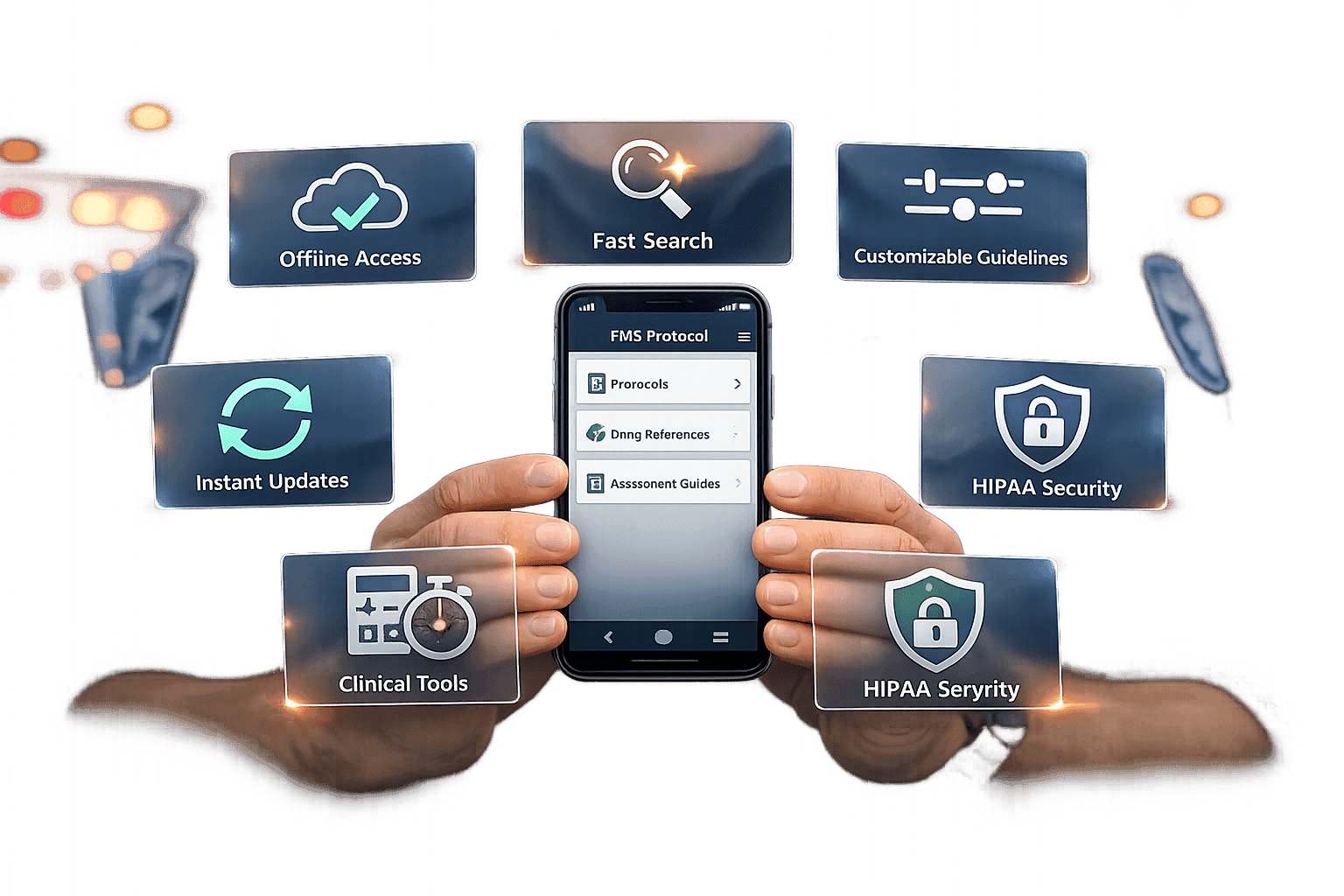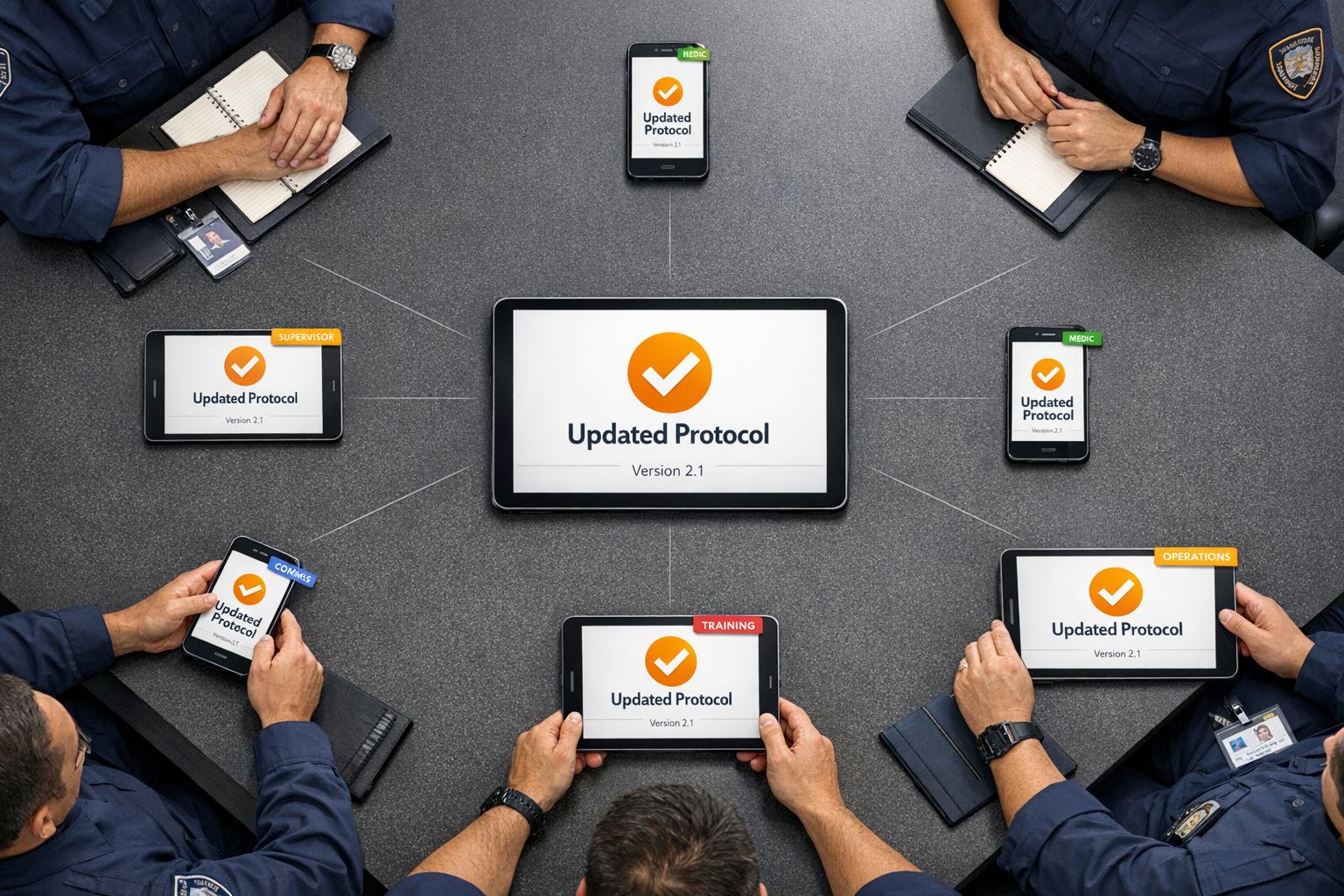

Paper-based systems are slowing down public safety departments. They waste time, increase costs, and create security risks. By transitioning to digital document management, departments can improve efficiency, reduce costs, and ensure compliance with regulations.
Here’s what you need to know:
Why Go Digital? Paper systems are inefficient, costly, and prone to damage. Digital systems improve response times, reduce administrative burden, and enhance security.
Key Benefits:
Instant access to critical documents in the field or office.
Reduced storage costs and streamlined workflows.
Stronger data security with encryption and audit trails.
How to Start:
Catalog and prioritize documents for digitization.
Assess technology needs, including mobile and offline functionality.
Ensure compliance with federal and state regulations.
Train staff and implement a phased rollout.
Choosing the Right Tools: Look for platforms like ResponderOne that offer features such as role-based access, offline capabilities, and automated updates.
Paperless paramedicine: The digital patient care record
Mapping and Prioritizing Your Paper Workflows
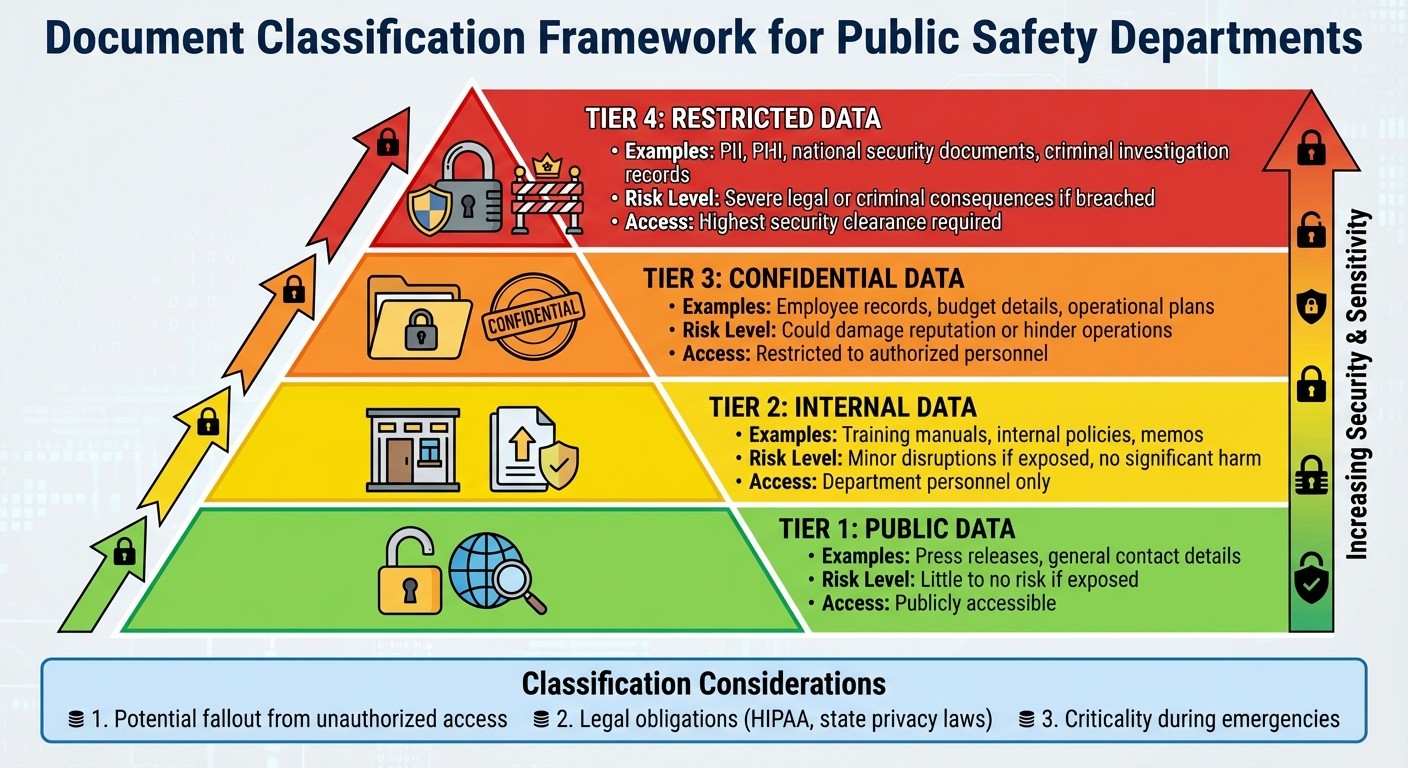
Public Safety Document Classification System: Four Security Levels
Once your department has decided to embrace a digital approach, the next step is to take stock of your current processes. This involves identifying all document types, tracking how information flows within your department, and determining which materials should be digitized first.
How to Classify Department Documents
To streamline your transition, start by classifying documents based on their sensitivity. Most public safety departments can organize their records into four main categories, each reflecting different levels of risk.
Public Data: These are records already accessible to the public, such as press releases or general contact details. Even if exposed, this type of data poses little to no risk to your department.
Internal Data: This includes materials meant only for department personnel, like training manuals, internal policies, or memos. While exposure might cause minor disruptions, it typically won’t result in significant harm.
Confidential Data: This category includes more sensitive information, such as employee records, budget details, and operational plans. Unauthorized access to these documents could damage your department’s reputation or hinder operations.
Restricted Data: These are your most sensitive files - personally identifiable information (PII), protected health information (PHI), national security-related documents, and criminal investigation records. A breach here could lead to severe legal or criminal consequences.
When categorizing documents, think about the potential fallout from unauthorized access, legal obligations like HIPAA or state privacy laws, and how critical the information is during emergencies. Also, document where these records are stored, who can access them, and how they’re used to make future management easier.
Once classifications are in place, analyze how these documents move through your department to uncover inefficiencies.
Mapping Your Current Workflows
To improve your department’s efficiency, you need to understand how documents are created, shared, and stored. This process can reveal areas where time and resources are being wasted, which is especially important for improving emergency response.
For instance, Utah’s Unified Fire Authority discovered delays and errors caused by manual approval processes and scattered candidate files. By mapping their document workflows, they pinpointed inefficiencies and addressed them.
Look for similar issues in your department, such as:
Manual approval chains that slow processes
Files stored in multiple locations, making them hard to find
Repetitive data entry that wastes time
Poor visibility into document status
The scale of inefficiencies can be staggering. In 2022, the American public spent 10.5 billion hours on government paperwork. Your department likely adds to this figure in ways you might not have fully realized yet.
Identifying these bottlenecks will help you determine which records should be digitized first to save time and resources.
Which Documents to Digitize First
When deciding where to start, focus on digitizing the most frequently used, critical, and compliance-sensitive documents.
Begin with records responders rely on in the field, such as standard operating procedures, emergency response plans, hazmat guides, and building pre-plans. For example, a city planning department cut its permit processing times in half by digitizing commonly accessed records like building plans and past applications.
Next, prioritize documents that are subject to strict compliance requirements. These include healthcare records, criminal investigation files, and personnel documents containing PII. A state agency managing healthcare records digitized its files to address compliance issues, making audits easier and avoiding penalties by ensuring a clear record of access and edits.
Finally, consider digitizing documents that take up significant physical storage space or are at risk of damage. This step not only saves space but also protects valuable records.
Digitization offers immediate benefits, such as reducing storage costs and speeding up processes. By focusing on the right records early on, your department can maximize these advantages quickly.
Choosing Digital Tools for Document Management
Once your department has set its digitization priorities, the next step is selecting the right digital tool to manage documents effectively.
Key Features for Public Safety Platforms
Public safety departments need tools with features that go far beyond simple file storage. At the top of the list are security and compliance. Any platform you choose should include encryption, multi-factor authentication, and detailed access controls. It must also meet U.S. standards like CJIS, NIST 800-53, SOC 2 Type I & II, HIPAA, and CCPA. Additional features such as automated retention schedules, legal holds, and audit trails are critical to track every action taken on sensitive documents.
For field operations, mobile apps should allow offline access, ensuring usability in areas with poor connectivity. Incorporating OCR and advanced search tools can make document conversion and retrieval quick and efficient.
Other essential features include version control and workflow automation. Version control ensures everyone is working with the most up-to-date document, avoiding confusion. Workflow automation can handle repetitive tasks like data entry or routing approvals, saving time and reducing errors. The platform should also integrate seamlessly with your existing tools, whether it’s CAD systems, HR software, or GIS applications, and offer customization options to meet your department's unique needs.
These capabilities form the foundation for selecting a platform that aligns with your department’s operational goals.
Using ResponderOne for Document Management
One platform designed specifically for public safety is ResponderOne. It offers a centralized hub that combines a web-based admin portal with mobile apps for iOS and Android, giving your team secure access to vital resources like policies, protocols, and procedures - anytime, anywhere.
ResponderOne’s offline functionality ensures critical information is accessible even when internet connectivity is unavailable. Once the connection is restored, updates made in the field automatically sync. This real-time syncing ensures that any revisions to procedures or emergency plans are instantly available to all users, minimizing the risk of outdated information being used in critical situations.
The platform also employs role-based permissions to control who can view, edit, or share documents. This not only safeguards sensitive data but also ensures that personnel can quickly access the information they need without unnecessary delays. For added flexibility, administrators can roll back to previous document versions if needed. With its Enterprise plan, ResponderOne provides unlimited storage, removing concerns about running out of space for large volumes of documents.
Why a Centralized Resource Library Matters
Having a single, centralized resource library can revolutionize how a department operates. It eliminates inconsistencies caused by multiple document versions, a critical advantage during multi-agency responses when everyone needs to follow the same procedures.
A centralized system also reduces errors. Responders no longer waste time verifying document versions or reconciling conflicting information. Updates become simple - change the document in the library, and the updated version is immediately available to all authorized users.
Beyond day-to-day operations, the benefits extend to training and compliance. New personnel can quickly get up to speed with access to an organized library of resources, reducing the time supervisors spend answering questions about document locations. Compliance audits also become more straightforward, as auditors can review a single, well-organized system with detailed audit trails, instead of chasing down scattered files. Additionally, consolidating resources into one system can lower storage costs by reducing the need for physical storage and cutting down IT expenses associated with managing multiple disconnected systems.
Digitizing, Organizing, and Securing Your Documents
Now that you've chosen your digital tools, it's time to turn your paper records into digital files and set up systems to keep information both secure and easy to access. This step is crucial for improving emergency response and ensuring compliance.
How to Digitize Paper Documents
Start by preparing your documents for scanning - remove staples, paper clips, and bindings to avoid jams. Organize the papers by type and priority, following the workflows you mapped earlier. For large volumes, use a scanner with an automatic document feeder (ADF) to handle multiple pages efficiently.
Scan at a resolution of at least 300 DPI to ensure clarity and save the files as searchable PDFs. Use Optical Character Recognition (OCR) technology to convert scanned images into text that can be searched later. This feature is incredibly helpful when you need to quickly find specific details, like a policy clause or incident report.
When naming files, be consistent and descriptive. Include details like the document type, date, and any unique identifiers. For example: SOP_Vehicle_Maintenance_12152025.pdf or IncidentReport_2025-12-15_Case4782.pdf. Once scanned and labeled, upload the files to ResponderOne's secure platform, where they’ll be accessible to authorized users.
After digitizing, make sure files are structured for easy retrieval.
Organizing Documents for Quick Access
Set up folders that align with your department's workflows. For example, create separate folders for standard operating procedures, training materials, incident reports, personnel records, and emergency response plans. Within each main folder, add subfolders to further categorize files by year, department division, or document type.
To make files even easier to find, use tags and metadata. Include details like creation dates, document status, or relevant terms such as "hazmat", "active shooter", "vehicle operations", or "medical protocols." This layered system allows users to locate files quickly, whether they’re searching by folder, keyword, or tag.
Once your files are organized, make security your next priority.
Setting Up Security and Role-Based Access
Protect your documents with strong security measures. All files should be encrypted, both during storage and while being transmitted. Adding multi-factor authentication ensures that only authorized users can access the system.
Role-based access control (RBAC) is another key layer of protection. This system assigns permissions based on job roles and the "need-to-know" principle. For instance, patrol officers might only access field procedures and incident report templates, while command staff could view sensitive records like disciplinary actions or budget files. You can also customize permissions to control who can view, edit, download, or share specific documents.
Audit trails provide an extra layer of accountability. These logs track every action taken on a document - who accessed it, when, what changes were made, and whether it was downloaded or shared. This transparency is critical for meeting compliance standards like CJIS and NIST 800-53. Regularly reviewing these logs helps identify unusual activity and ensures that permissions stay up-to-date as roles within your team evolve.
sbb-itb-f1e5a35
Rolling Out Paperless Protocols in Your Department
Once your documents are securely digitized, the next step is getting your entire department on board. Rushing this process can lead to confusion, pushback, and errors. A successful transition requires careful planning, thorough training, and ensuring that field personnel have timely and secure access to the system. Starting with a pilot program can help set a strong foundation.
Phased Rollout Approach
Begin with a small-scale pilot program instead of jumping straight into a department-wide launch. Select one team or division - like the training unit or a single shift - to test the new digital system. This controlled setup allows you to detect and address potential issues early while collecting feedback from the people who will use the system every day. As GovOS explains:
"Going paperless within any governmental body is a gradual process. It begins with laying a solid digital groundwork for government operations, which can evolve and grow over time".
During the pilot phase, track key performance indicators to identify bugs or inefficiencies. Create a beta testing group to share insights and suggest workflow improvements. Once the pilot team is comfortable with the system, take their feedback into account and make necessary adjustments before expanding the rollout.
Training Staff and Managing Change
One of the biggest hurdles in going paperless is overcoming resistance to change. Employees accustomed to paper-based workflows may be reluctant to adopt a digital system. To ease this transition, involve staff early and clearly explain how the new system will simplify their tasks.
Offer hands-on, scenario-based training to build confidence. For example, simulate tasks like accessing hazmat protocols or filing an incident report to demonstrate how the system works in real-world situations. Training should also cover essential security measures, such as multi-factor authentication and role-based access, while ensuring ongoing technical support is readily available .
Setting Up Field Access for Responders
Once your staff is comfortable with the system, extend its use to field personnel. Field teams need consistent access to critical documents, even in areas with poor or no connectivity. Offline functionality is crucial. For instance, ResponderOne's mobile platform allows responders to download essential documents directly to their devices, ensuring that policies, protocols, and emergency plans are always accessible.
Before fully deploying mobile access, test the system in real-world conditions. Have officers or firefighters attempt to retrieve documents in areas with limited connectivity to ensure downloaded files remain up-to-date and the app syncs properly once a connection is restored. Emergency responders also need quick access during critical moments, so implement mobile single sign-on (MSSO) to streamline authentication without sacrificing security. This ensures that responders can access vital information without unnecessary delays.
Monitoring Performance and Maintaining Compliance
Once you've successfully implemented paperless protocols, the work doesn’t stop there. To ensure long-term success, it’s essential to keep a close eye on system performance and maintain compliance. Without regular oversight, even the most efficient digital systems can become outdated or underutilized. Consistent monitoring not only safeguards compliance but also keeps operations running smoothly - an essential goal emphasized throughout this guide.
Tracking Usage and Performance Metrics
A robust digital system should include audit trails that log every instance of document access, changes, and modifications. These time-stamped records are invaluable for accountability and can highlight which teams are actively using the system and which might need further support or training.
To measure how well the system is working, focus on metrics like document processing times, retrieval speeds, and approval turnaround times. For example, one U.S. Supervisor of Elections office reported a 50% improvement in retrieval and processing times for permits, with 95% of permits digitized within a year. Additionally, government agencies have seen document processing times reduced by 40–60%.
Beyond speed, it’s also important to track policy acknowledgment rates to ensure staff are staying up to date with new procedures. For instance, a police department saved over $20,000 by implementing a system that tracks whether officers have reviewed and acknowledged updated policies. Regular reports on compliance, training, and engagement can help you quickly identify and address any gaps.
Meeting US Compliance Standards
Centralized, version-controlled documents simplify audits and reviews by maintaining clear and transparent audit trails .
Automated retention schedules are another critical feature, ensuring that documents are stored for the legally required time and disposed of properly afterward. This helps avoid unnecessary data buildup while staying compliant with regulations . Many digital document management systems handle this automatically, purging files according to mandated schedules.
If your department receives federal funding or provides digital services to the public, your system must also comply with Section 508 accessibility requirements and ADA Title II standards. This includes meeting WCAG 2.1 Level AA guidelines for digital content .
These steps create a foundation for periodic reviews, helping to maintain both efficiency and compliance over time.
Creating a Regular Review and Update Schedule
Establishing a regular review schedule - either quarterly or biannually - ensures your document management policies, security measures, and retention schedules stay current. As technology and regulations evolve, your workflows should evolve too . Involving key stakeholders from different departments during these reviews can help ensure policies remain practical and aligned with your team’s needs.
Security audits are another must. Regular checks can help identify vulnerabilities and confirm adherence to established protocols . For instance, some systems undergo daily penetration testing to maintain the highest security standards.
Additionally, review the relevance of documents before digitizing or saving them. There’s no value in cluttering your system with outdated files. As you update protocols, make sure to provide staff with the necessary training to keep everyone aligned and informed .
Conclusion: Moving Forward with Digital Document Management
Transitioning to digital document management is about more than just scanning papers - it fundamentally changes how departments operate. This transformation demands a thoughtful approach, including creating efficient workflows, preparing teams for new systems, providing thorough training, and ensuring compliance remains a priority.
Federal mandates have added urgency to this shift. By December 31, 2022, paper records were to be phased out, and as of January 2023, all legal transfers to NARA had to be electronic. These deadlines highlight the pressing need for public safety departments to embrace digital solutions.
Success lies in adopting a lifecycle approach. This involves eliminating paper-based processes, organizing existing digital files, and equipping teams with the right tools and protocols to function effectively - whether they’re in the field or at headquarters.
It’s worth noting that half of Enterprise Content Management projects fail. However, departments that implement structured strategies - such as pilot programs, active staff involvement, and regular monitoring - are far more likely to see positive outcomes. These practices align with the benefits discussed earlier, proving that a planned transition leads to lasting improvements in efficiency.
By going digital, departments can save significant costs and reallocate resources to critical operations. At the same time, they’ll enhance response times, strengthen data security, and meet evolving regulatory requirements.
To make this shift successful, evaluate your current processes, set clear goals, select the right tools, train your staff, and schedule ongoing reviews. Digital document management isn’t just an upgrade - it’s now the benchmark for secure and responsive public safety operations.
FAQs
What steps can public safety departments take to keep their data secure when going paperless?
When transitioning to a paperless system, safeguarding data is a top priority for public safety departments. One critical step is using encryption to secure information, whether it's stored or being transmitted. This ensures sensitive data remains protected from unauthorized access.
Adding layers of security, such as multi-factor authentication and strict access controls, limits access to sensitive documents to only those with proper authorization. These measures significantly reduce the risk of breaches.
Equally important is providing regular security training for staff. This helps employees recognize potential threats and follow best practices. Pairing this with routine audits can uncover vulnerabilities before they become problems. Establishing clear data governance policies further ensures proper storage, handling, and compliance with regulations, boosting both security and efficiency in operations.
How do we decide which documents to digitize first?
When reviewing your documents, consider factors like urgency, legal retention requirements, frequency of use, and operational importance. Prioritize digitizing records that are essential for compliance or frequently accessed. This way, your team gains faster access to key information, boosting efficiency while keeping important data secure.
What are the best ways to address resistance when moving to a digital document system?
To overcome resistance, prioritize transparent communication and collaborative planning. Begin by outlining the advantages of the new system, such as increased efficiency, enhanced security, and simpler access to essential documents. Offer practical, hands-on training to help everyone feel comfortable with the tools, and actively involve team members in the transition to foster trust and a sense of ownership.
You can also emphasize how digital systems cut down on repetitive manual tasks and simplify workflows, making daily operations smoother and more efficient. When employees see how these changes make their jobs easier, they're more likely to welcome the new system.