Document Acknowledgments
Keep your department in compliance. Require sign-off on any document and know exactly who has signed, who hasn’t, and when.
How Acknowledgments Work
Require it on a document once, and ResponderOne handles the asking, the reminders, and the record.
Require it on any document
Turn on acknowledgment for any document in your library, choose the roles that must sign, and set a due date.
Responders read and sign
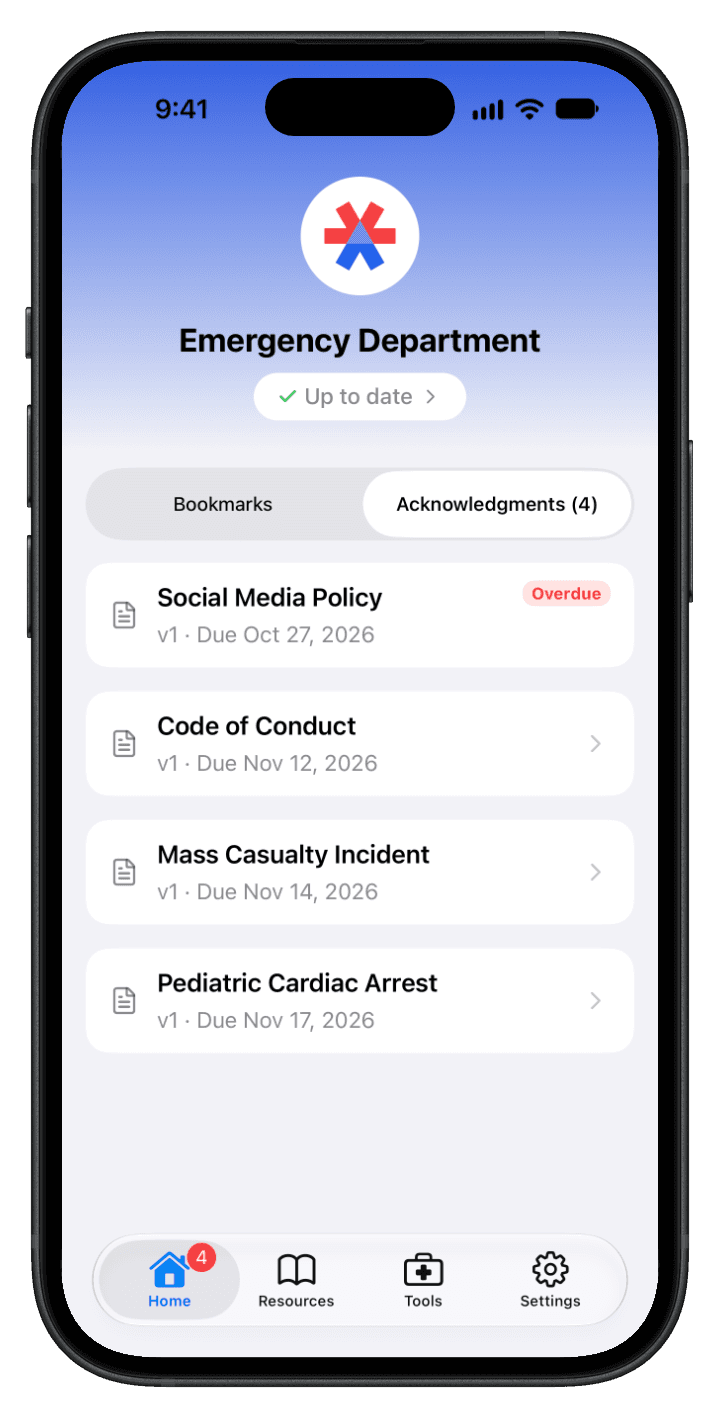
Required documents wait on their home screen with a count. They open the document, read it, and sign on their phone or the web dashboard.
You see who’s signed
Every signature is recorded against the exact version, with the name, method, and time. Anyone overdue stands out, and a reminder is one click away.
Sign-Off Made Simple
Responders see what’s due and sign it from the app or the web dashboard.
Everything Due, Up Front
The home screen lists what’s waiting, soonest due first, with overdue items called out. No hunting through folders.
Read It, Sign It, Done
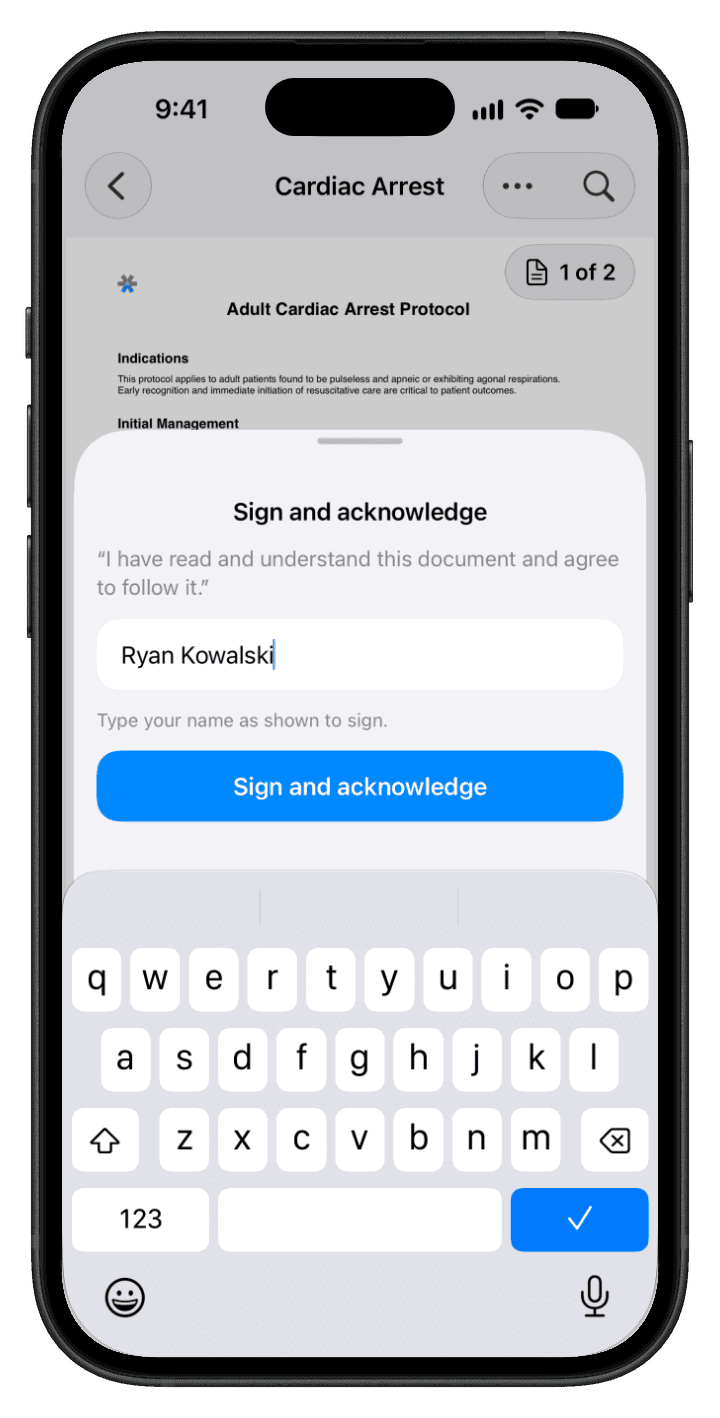
Open the document, read it through, and tap Sign and Acknowledge. That’s all it takes.
A Record You Can Stand Behind
Signatures tied to each document version, rules you set once, and reminders that run themselves.
Tied to the Exact Version
Each signature is pinned to the version that was signed. Publish a new version and everyone is asked to sign again.
Your Rules, Department-Wide
Choose how members sign: a single tap to confirm, typing their full name, or re-entering their account password. Then set due dates and reminders the way you want them.
Reminders That Run Themselves
Members get a Monday email and reminders as a due date nears and passes. Admins get a weekly compliance summary of how many members are up to date.
The Acknowledgment, On Record
Each acknowledgment saves the member’s name, how they signed, when, and the exact statement they agreed to. Once recorded, it can’t be edited or deleted.
Compliance at a Glance
Require documents, track who’s signed, and follow up with anyone behind, all from the dashboard.
By Document or by Member
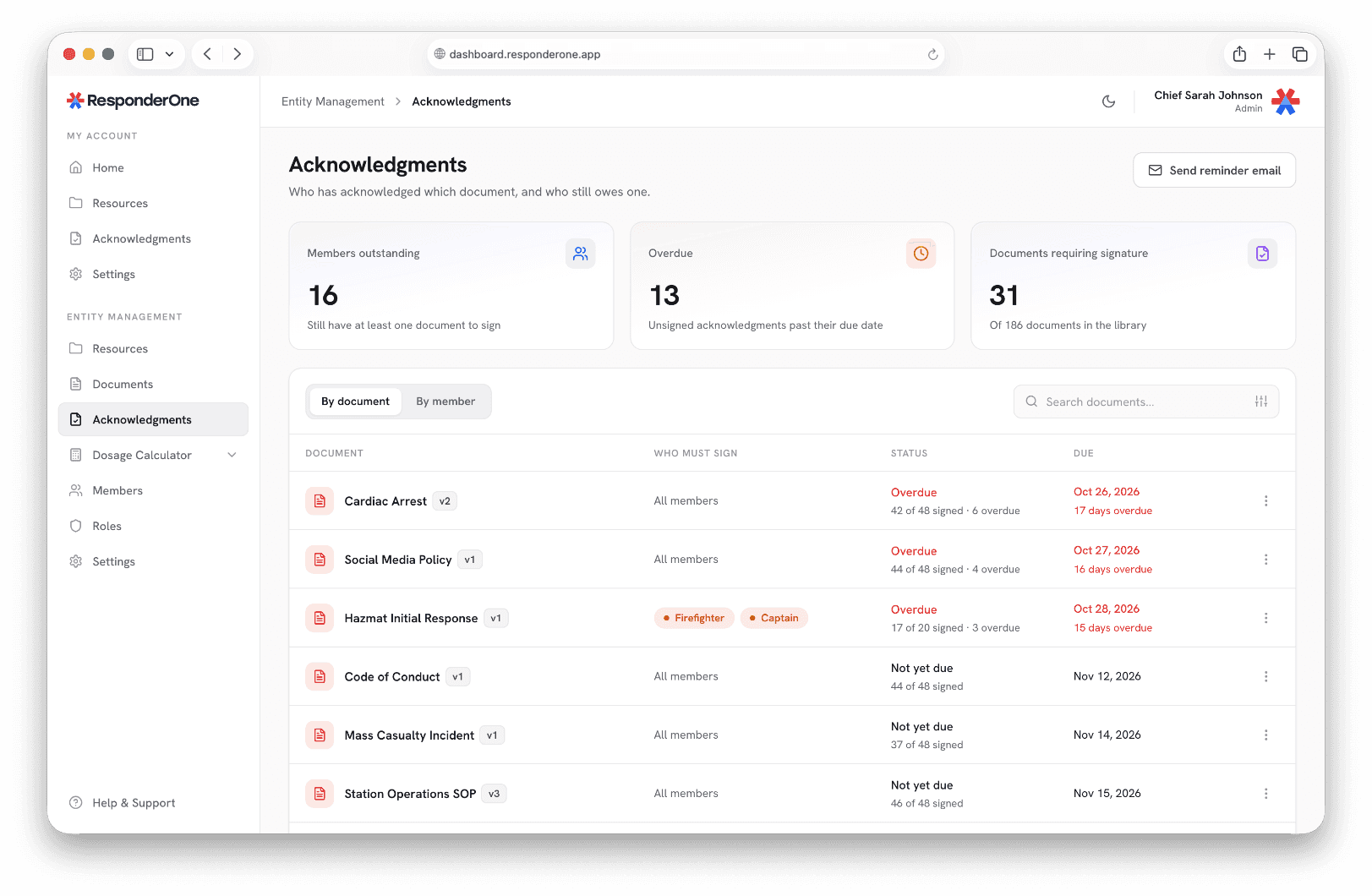
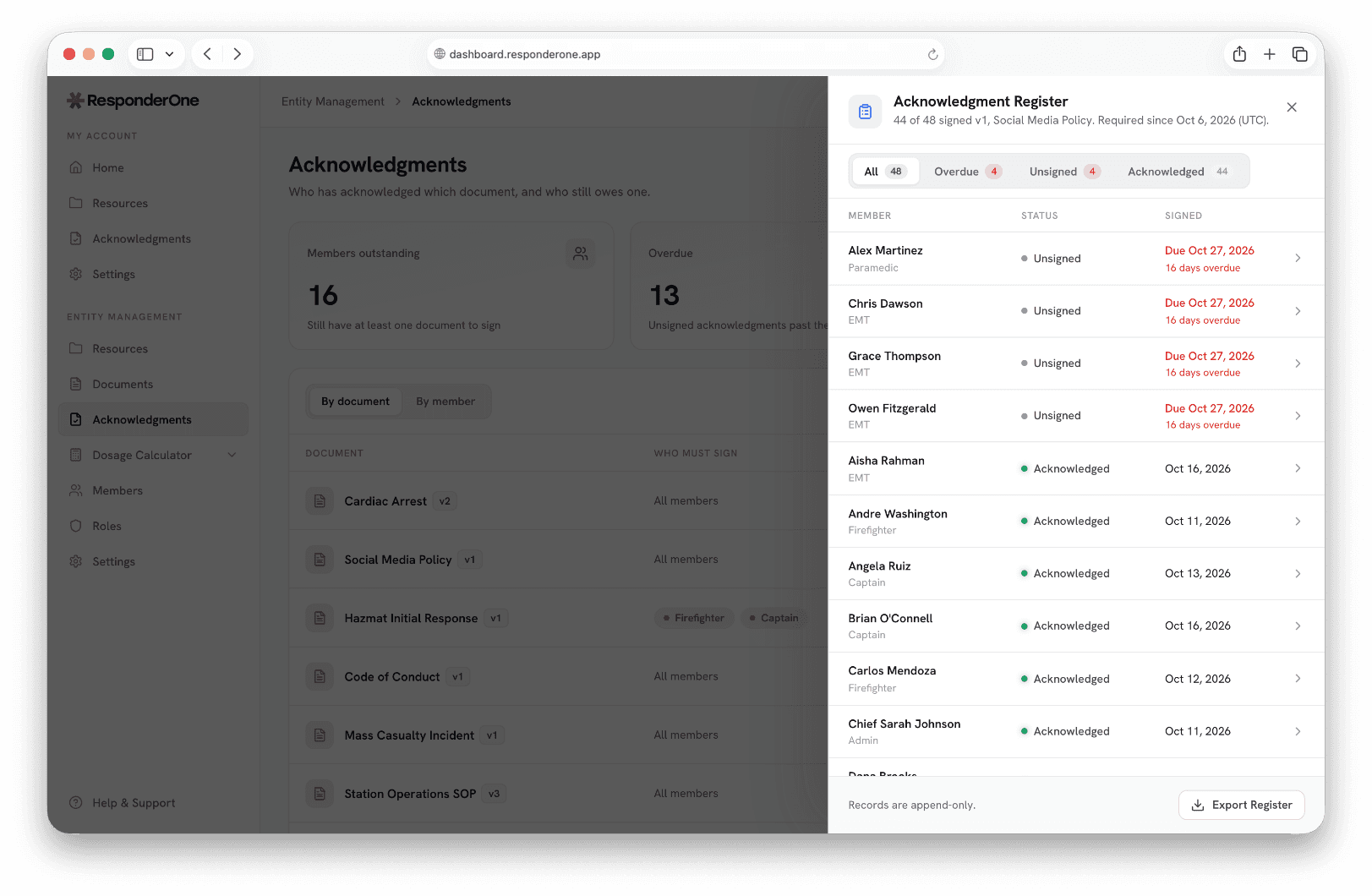
Every required document shows how many members have signed and how many are overdue. Flip to the member view to see where each person stands.
An Audit-Ready Register
Open any document to review who has acknowledged it, when they signed, and who’s still outstanding. Overdue members are flagged so you know who to follow up with.
Acknowledgment Questions
Any document in your library: policies, protocols, SOPs, or training material.
Publishing a new version asks everyone who must sign to sign again. Earlier signatures stay on record against the version they were made on.
In the ResponderOne app or on the web. Your department picks one method for everyone: a single tap, typing their name, or re-entering their password.
No. Responders can read documents offline, but signing needs a connection, so every signature is checked against the current version when it’s made.
Members with something outstanding get an email every Monday, plus reminders as a due date nears and after it passes. Admins get a weekly compliance summary showing how many members are up to date. On top of the automatic reminders, admins can send one by hand whenever they need to, to a single member or the whole department.
Yes. Export the acknowledgment register as a CSV with each member’s status, the version they signed, when they signed it, the method used, and the statement they agreed to.
See Acknowledgments in Action
We’ll walk you through it with your own documents, from requiring sign-off to seeing who’s signed.