
The EMS Dosage Calculator
Weight to Dose to Volume in Seconds
Tap a patient size, pick a protocol, and read the exact dose and volume to draw. Runs on your department’s own protocols.
How the EMS Dosage Calculator Works
Your department sets it up once. Every phone carries it from there, even offline.
Your department authors it
Protocols, medications, weight classes, and dosing rules are all built by your department.
It syncs to every device
Everything downloads to every phone: protocols, doses, and reference PDFs. Fully capable with or without internet.
Responders read the volume
Select the patient size and protocol to instantly see the exact dose and volume to draw.
Built for the Back of the Ambulance
Built for high-stress calls.
Weight-First, Color-Coded Entry
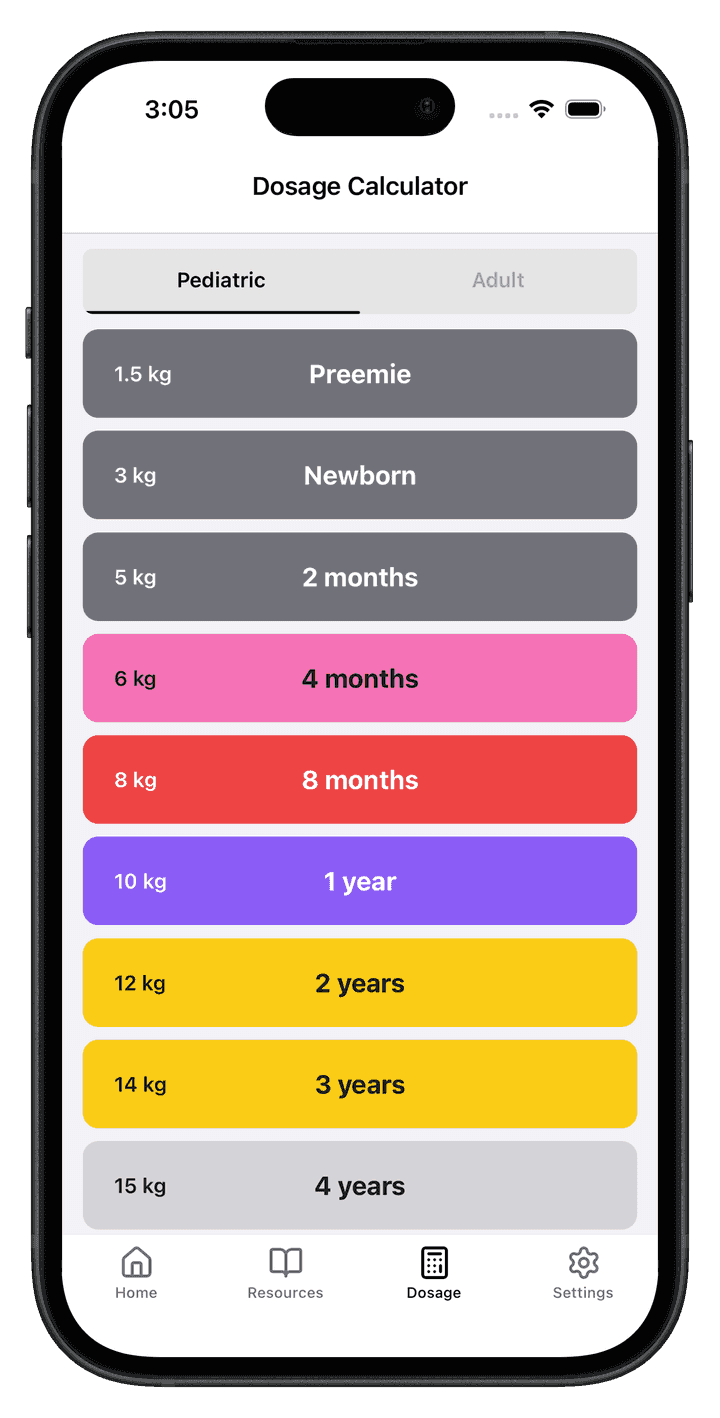
Selecting a patient takes one tap. Every calculation that follows runs for that patient’s size, automatically.
Protocol-Aware Dosing
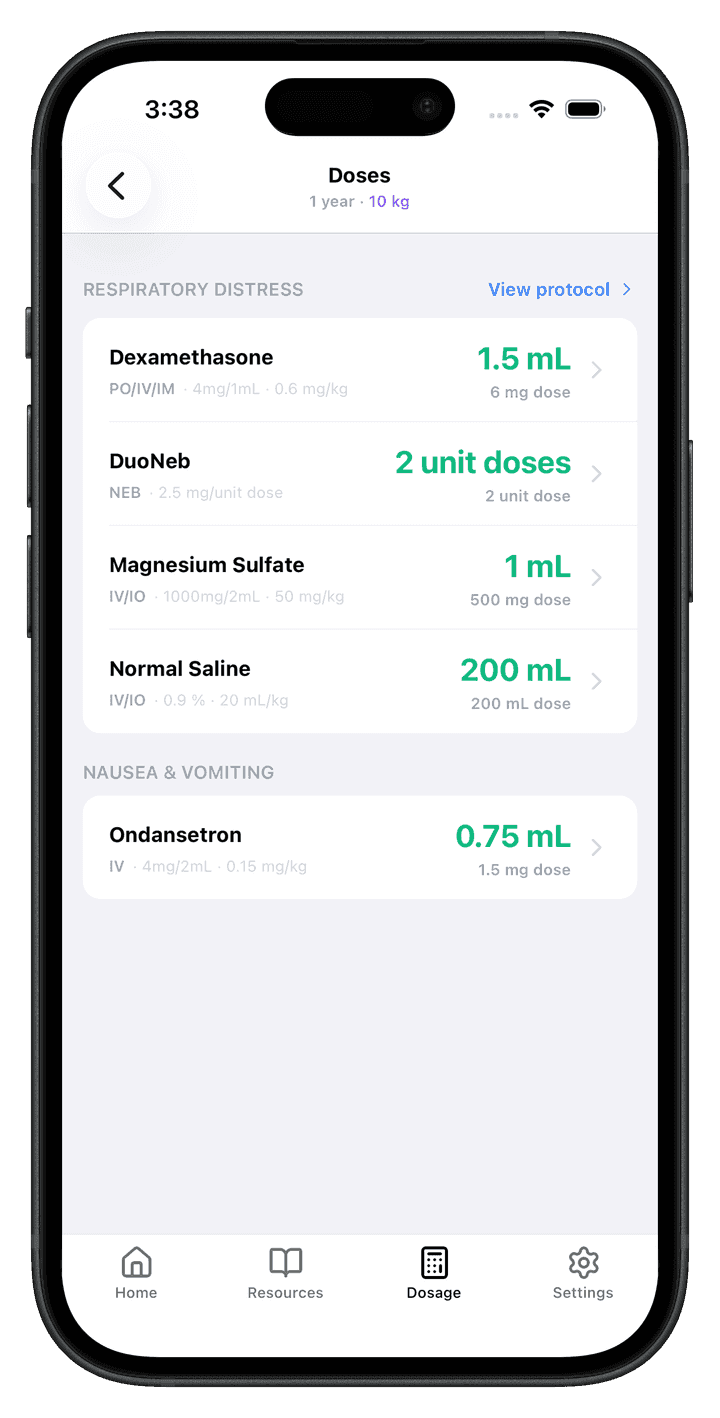
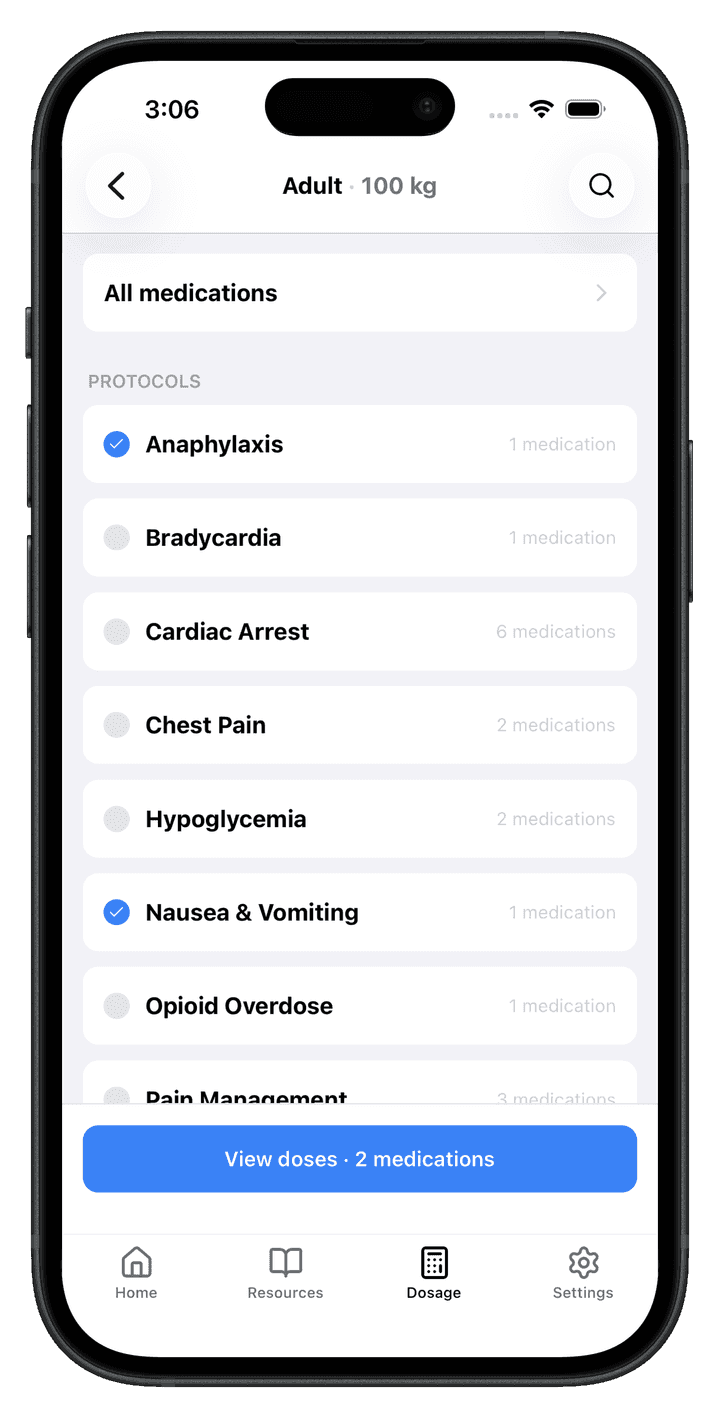
Select the protocols that match the call. Each shows up as its own section with its own doses, nothing mixed, nothing mislabeled.
The Result Card
Each medication shows its route, concentration, and dose, with the amount to give front and center.
Guardrails That Can’t Be Skipped
Clear structure, configured limits, and live updates, built into every screen.
Nothing to Hunt For
Pick the patient once and the math follows. Every dose on screen is calculated for that patient’s size, automatically.
Max-Dose Guardrail
If a dose hits a configured cap, the result is clamped and marked “(max)”. You always know a ceiling kicked in.
Always the Current Version
Doses come from your department’s live configuration. When the dashboard changes, every phone follows. Nobody runs on an old sheet.
Clinically-Aware Math
Smart rounding, automatic unit conversion, and form-aware volumes, so vial, nebulized, eyedrop, and IV-bag meds compute the way they’re actually given.
Built by Your Department
Administrators manage the content, and every responder sees the same, current version.
The Calculator’s Home Base
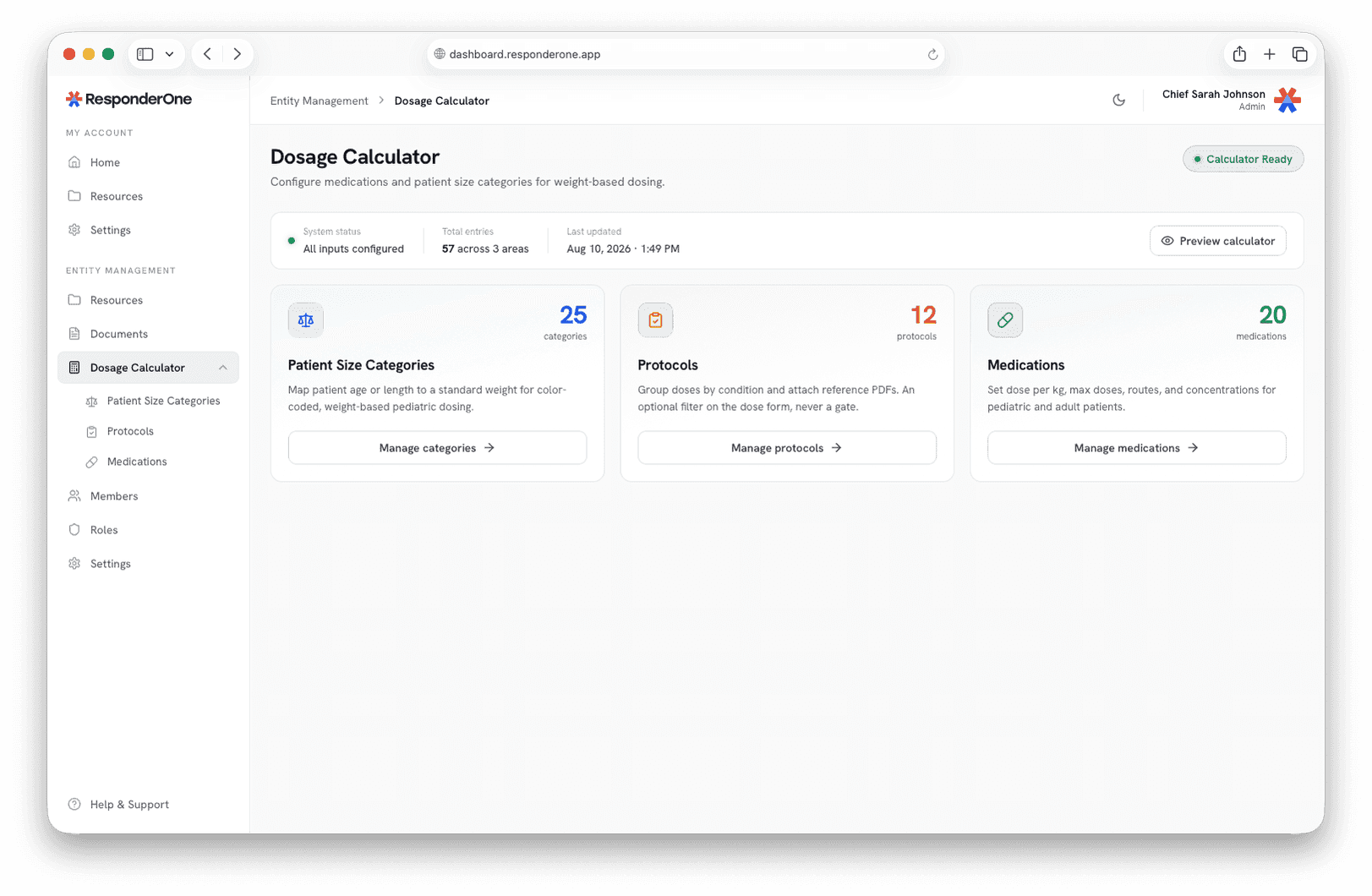
Everything that powers the calculator lives here: patient sizes, protocols, and medications. Manage each area from a single view and preview the result anytime.
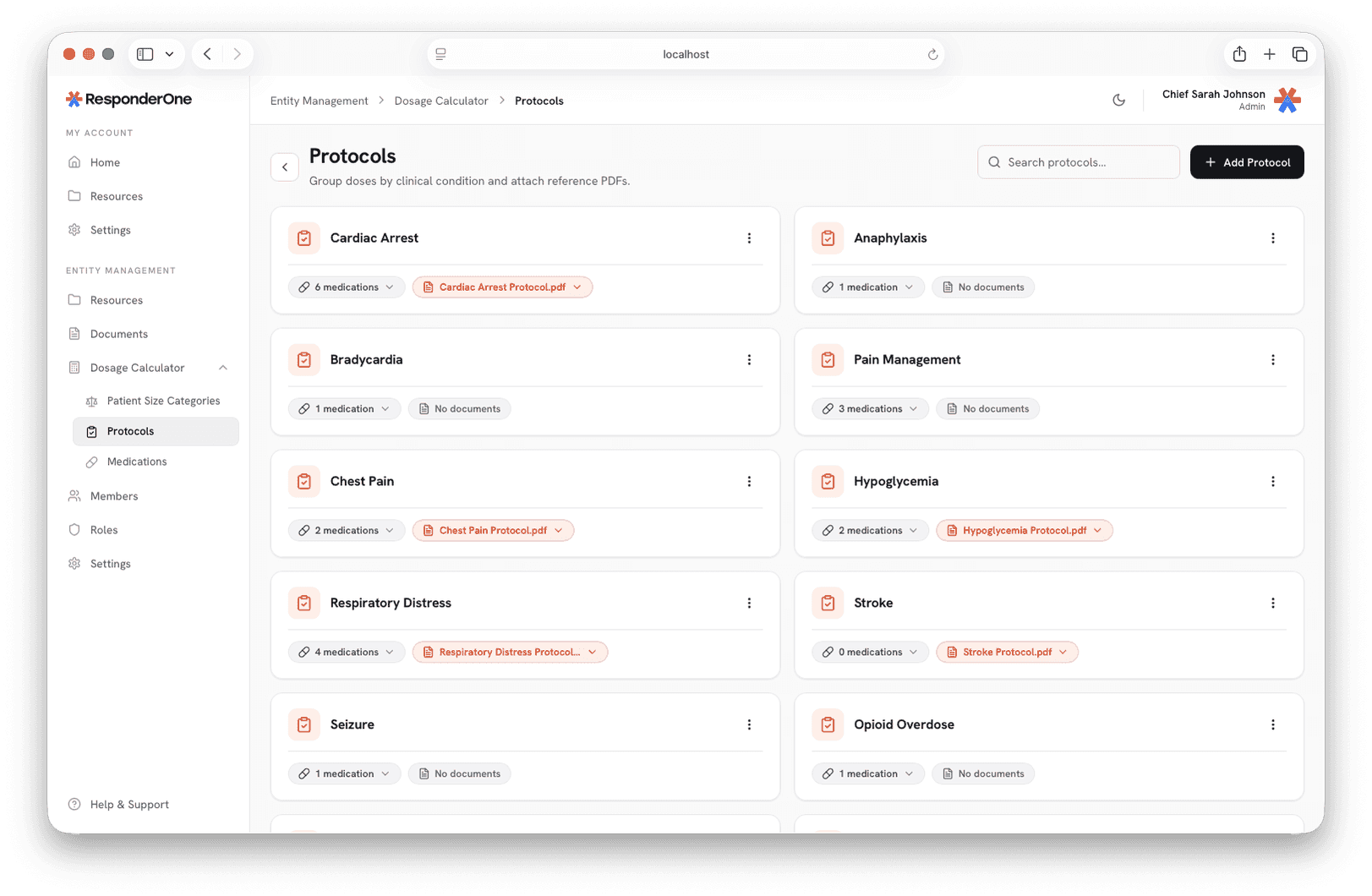
Protocols and Reference PDFs
Group doses by clinical condition and attach the matching reference PDF. Responders get the same grouping, and the document, on their phones.
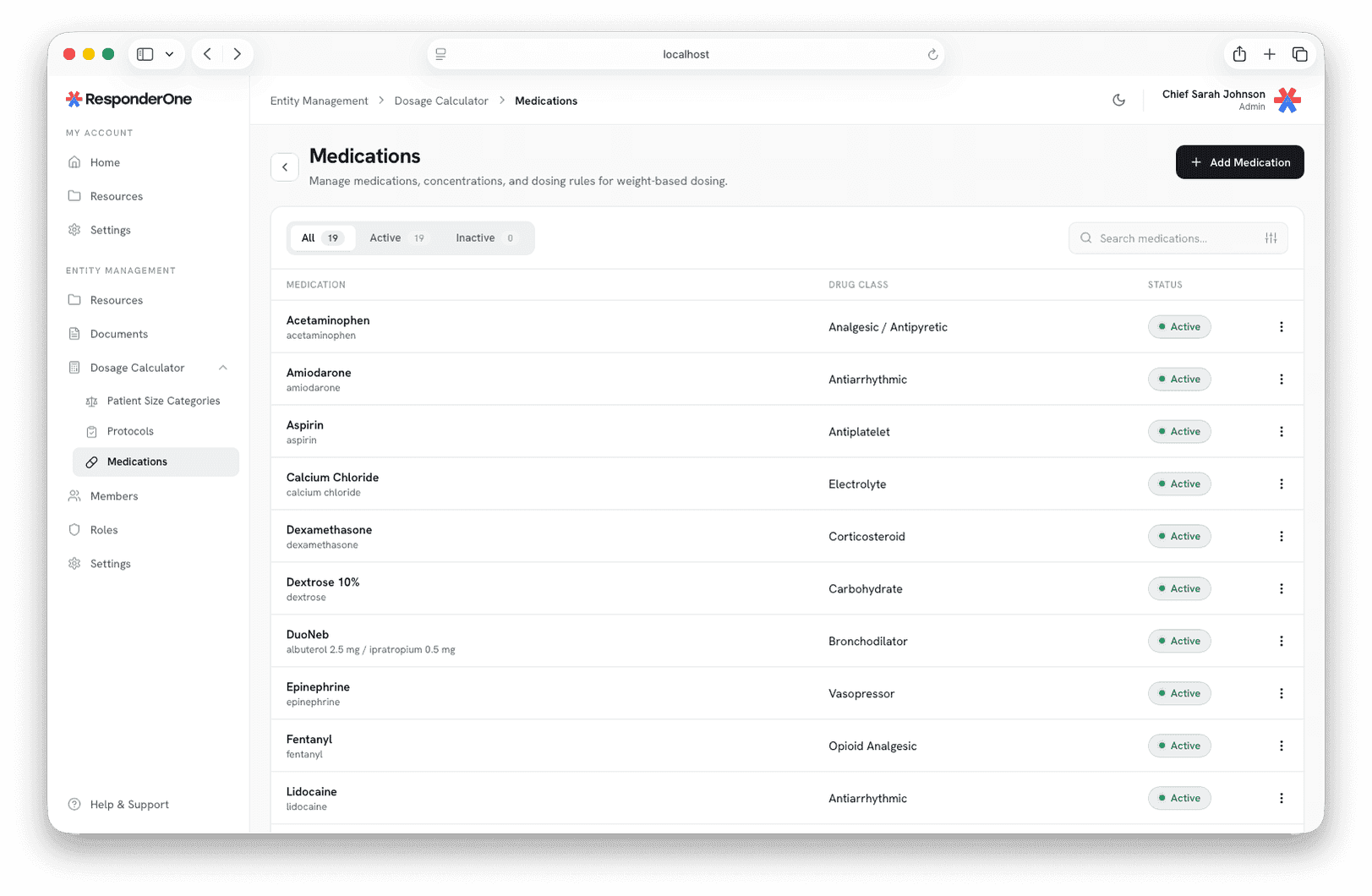
Medications and Dosing Rules
Each medication holds its concentrations, routes, and doses for adult and pediatric patients. Set the values your department uses and they appear in the field the same way.
Dosage Calculator Questions
Yes. Drugs, doses, protocols, and reference PDFs all download to the device, so the calculator works fully offline on scene.
From your department, and only your department. ResponderOne ships no medications or doses of its own. Your department enters every drug, dosing rule, weight class, protocol, and reference document, so the clinical content is always yours.
Yes. Doses are tagged to protocols individually, so epinephrine in cardiac arrest and epinephrine in anaphylaxis each carry their own dose and route, and the app keeps them in separate labeled sections.
The result is capped at the configured maximum and marked “(max)” on screen, so the responder knows a ceiling was applied.
Only members your department authorizes can make changes, and only from the dashboard. Everyone else sees the current configuration in the app. Updates reach every phone automatically.
It's rolling out on a per-agency basis. Schedule a demo and we'll walk through your protocols, show the calculator running on your own configuration, and get your agency set up.
See the Dosage Calculator in Action
Watch a working department setup in action, from the dashboard to the phone in a medic's hand.